Are there any extra charges on template messages?
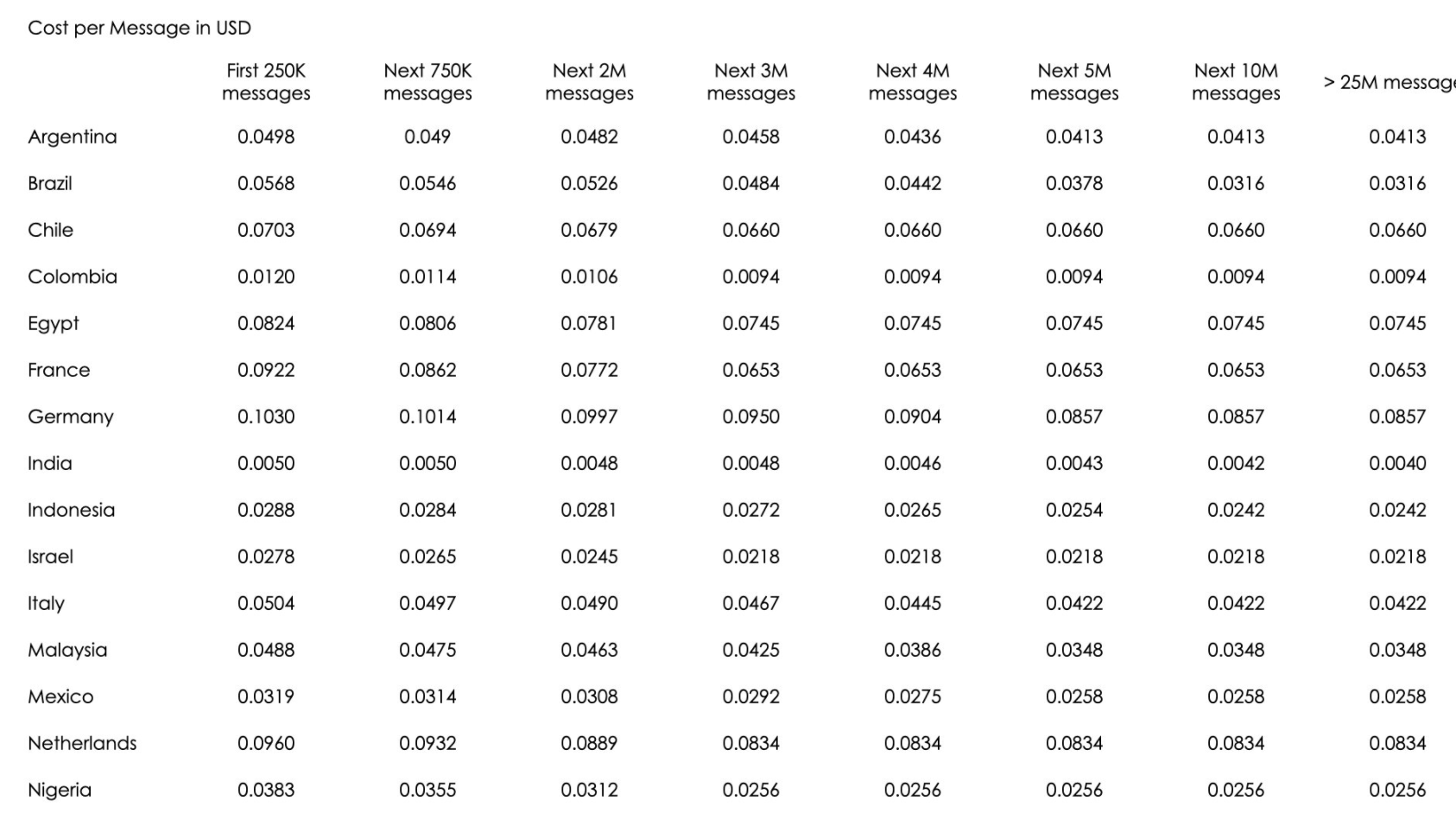
The price of each delivered Templated Message is based upon the country code of the message recipient and the volume of Templated Messages delivered in a calendar month to a given country or region, please click here for more pricing details.
Please refer to the below price plan as of 24 June 2021. Please contact Stella support (support@stellabot.com) for more pricing details.
WhatsApp Deposit Top-up Settings
If you would like to send a template message, please add a deposit to your account. To check the price of the template message, please refer to here.
1. Go to Settings and select Subscription in Billing
2. Click Top-up Settings
3. Select your deposit amount and click Confirm
Please note when the deposit drops below 20% of the beginning deposit, a fixed amount of deposit will be made automatically to ensure the continuity of your service.